 Plinko Bitcoin
Melbet Review
I start with the game studio at Melbet, then follow the coin and network from the cashier to the wallet.

How I find Melbet Plinko in the lobby
My first stop is the casino search. Melbet’s guidebook gives me several exact names to look up, including BGaming’s Plinko and Pragmatic Play’s Plinko+. I type “Plinko,” then read the studio beside each result. I like starting from that list because I can choose the title by name and go back to the same one later. I mark the studio in my notes before I read the rules inside the board.
In a fictional demo run for this review, I picked a board with a row selector and wrote a starting stake of $0.50. My first result was 0.8×, which paid $0.40. A later 1.6× landing paid $0.80. I logged each one on its own line. The exercise gave me a quick way to compare the numbers moving across the screen with the amount I expected from the payout table. The stake and multipliers here belong to the practice example.
When I switch to another title in the lobby, I treat it as a fresh board. I read its risk labels and look at what sits under the centre pegs. If I move from a low-risk board to one with a different payout spread, I keep the old results under their original title. That helps when the names differ by a plus sign or a short subtitle. I can see which board I meant without having to recognise a thumbnail.
I set up the Melbet account currency first
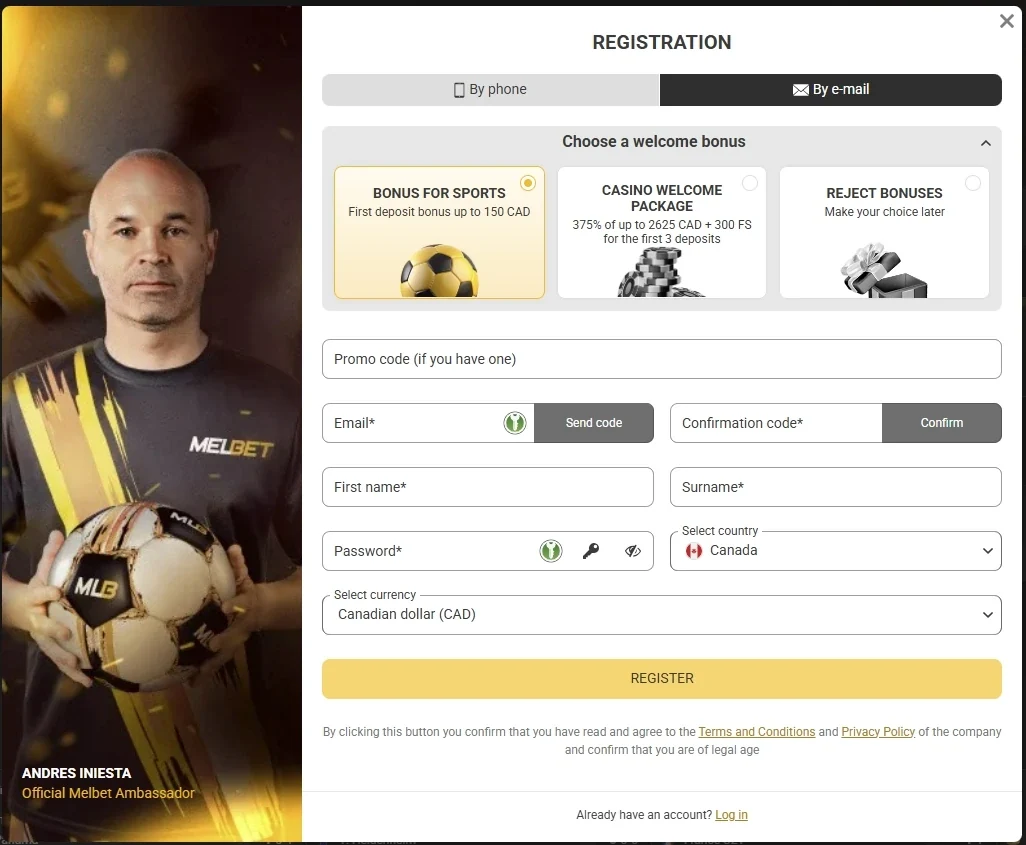
The registration panel is where I first look for the account currency. I keep that value in mind when I open a game and read the stake. For a sample account I choose CAD so I can track my session in the same unit as my budget. When I look at the cashier, I write the deposit coin beside that account unit. That gives my notes separate places for the wallet and the playable balance.
I also look at the promotion selection before I fill the rest of the form. For a short cash-balance example I use the straightforward path and leave any promotion out of the calculation. If I ever include an offer in a comparison, I create a second column for it with its own conditions. That way I can read the same $20 in base funds on both lines without confusing it with a bonus amount that appears elsewhere.
The registration screenshot helps me locate those choices on desktop. On mobile I look for the same currency label before I continue. The useful point for me is to carry the account unit forward into the game. In my notes I give the first stake a full label, such as “$0.50 CAD.” A payment screen can show BTC in the same session, so that small detail stays helpful all the way through the example.
What I read in the crypto cashier
I use Melbet’s payment page to match the asset and network before preparing a transfer. The operator’s crypto policy ties accepted routes to the combinations listed there. I read both labels together and compare them with the sending wallet. When my notes say “Bitcoin on-chain,” they refer to the route I’d select if it appears for that account. I use the cashier’s actual payment instruction for the final wallet comparison.
In a transfer example I choose an amount with a CAD equivalent of $30. I would write the wallet amount in BTC, then save the amount the cashier credits once the transfer has the required confirmations. If the balance shows a conversion, I record the CAD amount beside it. That way the conversion sits on the same line as the deposit, well apart from any later change caused by a round of Plinko.
My preferred check is to compare what the wallet sends with what the cashier expects to receive. A fee charged by the sending wallet is its own entry. I look at the estimated amount before I close the preview. When the account updates, I compare the new balance with the expected credit and keep the date alongside the transfer. A single line is enough as long as it includes the original currency and the credited one.
Selected payment methods
- Deposits & withdrawals
- BTC
- ETH
- USDT
- LTC
- DOGE
- BCH
- Other methods
- Visa
- Mastercard
- Skrill
- Neteller
Crypto withdrawals go to a verified wallet.
| What to check | What to look for |
|---|---|
| Game | I match the studio to the title in the casino search. |
| Deposit route | I read the coin and network shown together on the payment page. |
| Withdrawal destination | I use the verified wallet specified in the crypto policy. |
How I follow a Melbet withdrawal
For a crypto cash-out, I start with the destination. Melbet’s published policy specifies a verified wallet for cryptocurrency withdrawals. I check my receiving details and keep the cashier’s reference once I submit the sample request. Then I note the amount displayed on the outgoing screen. The reference is where I start if I return later and see several entries in the history.
In a fictional cash-out example I ask to withdraw the BTC equivalent shown by the cashier and note the expected receiving amount. While the request is pending, I follow the status on that same record. Once an on-chain transfer has an ID, I enter it on the same line and look for a match in the wallet activity. The two references tell me which part of the payment process I’m looking at.
I keep the verification step separate from the transfer record. If the cashier shows a wallet check or an account prompt, I open the matching account message. After a transfer shows as sent, I look at the receiving wallet’s progress. This makes it easier to explain the state if I need to ask a question. I can give the cashier reference for an account issue and the transaction ID for a sent transfer.
Cash-out records
- Account
- I use the verified wallet specified in the crypto policy.
- Wallet
- I keep the receiving amount next to the transfer reference.
I check the same game on a smaller screen
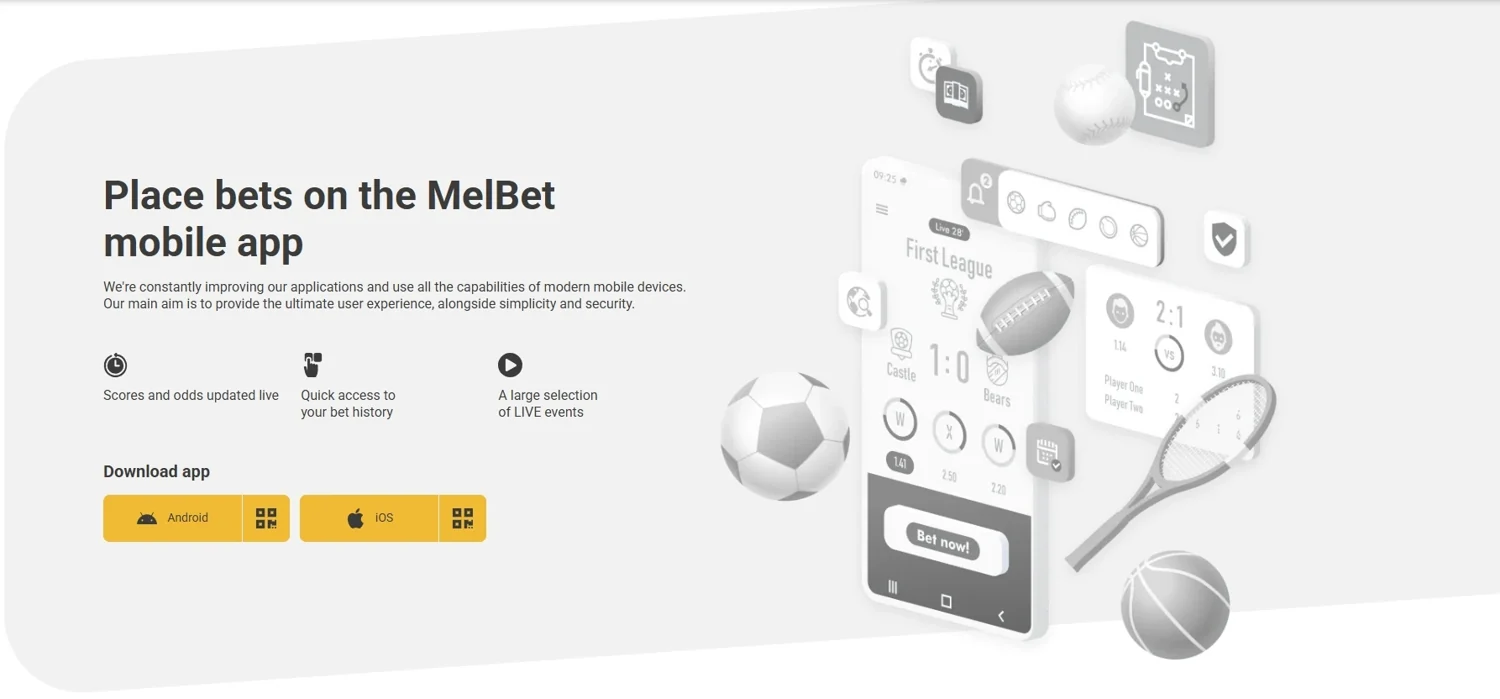
I judge the mobile layout by the distance between the stake readout and the drop button. I want to read both with the board in view. On the Melbet app page I see a separate route for the app. For my screen-size comparison I also keep the browser lobby open, then look up the same studio and title. I use the provider name to keep the two versions of my notes aligned.
For a sample phone session I start with a portrait screen and search for Melbet Plinko from the casino area. I read the size of the wager and the risk label before I tap. If I rotate the phone or reopen the board, I glance at both again. That small pause is useful because the controls can move when the layout changes. I want the next line in my notes to reflect the amount actually shown on the screen.
I also look at how easily I can return to the original listing. The direct path for me is to save the game title, then go back through the casino search. I use that same path if I move from the browser to the app. On two different screens, the studio name does more to orient me than the picture on a promotional tile.
Which records I keep from casino to wallet
After a short session I write the starting and ending balances in the game unit. In a fictional sequence of six $0.50 drops, the total amount staked is $3. If the returns add to $2.70, I record a net change of −$0.30. I keep that number apart from payments. It is the sum of the rounds and helps me compare one session with the next.
Then I take a short look at the deposit and withdrawal rows. If a request is cancelled and the credit returns to the cashier balance, I put it under the original request. A later cash-out gets a new line. By keeping both entries I can spot a returned amount without treating it as a second deposit or a gain from play. I keep notes about the fee on the payment line where it appeared.
For an on-chain payment I pair the date with the transaction ID once it’s available. I also write down the unit used at the destination. That lets me compare the wallet amount with the withdrawal figure shown by the cashier without relying on a conversion from memory. With the wallet entry beside the request, I can revisit the history weeks later and still see which two records belong together.
My Melbet verdict for Plinko and crypto
I like the breadth of the game list because it gives me versions to compare in one place. A title and studio name are enough to get me started. I open one board at a time, read its rules and leave the same setup in place for a short sample. If I dwell on a single feature, it’s the payout row. That’s where I see the settings I’m choosing for each drop.
On payments I like knowing what to look for before I open the cashier. I use the listed coin and network for the deposit route and keep the verified wallet in mind for a withdrawal. A short note with the account currency beside the wallet currency is enough for me to see where any conversion enters the sequence. I keep those payment details next to the date rather than inside the round tally.
When I compare Melbet with another name on the list, I start by matching the game studio. That makes the numbers easier to interpret. Then I compare where I would send a deposit and which record I would follow on the way out. I come away with details I can use on the next visit: a title to search and the units to watch in the cashier.
What I like
- I like being able to compare several named Plinko titles.
- I use the separate crypto policy to plan the wallet step.
What I keep in mind
- I keep the cashier network next to the currency in my notes.
Frequently Asked Questions
How do I find the exact board in the Melbet lobby?
I type Plinko into casino search and read the provider beside the title. For example, I keep BGaming’s Plinko and Pragmatic Play’s Plinko+ on separate lines in my notes.
What do I read before sending crypto to Melbet?
I match the coin and network listed in the payment area with the route in the sending wallet. I keep the expected credit and any wallet fee on separate lines.
Where would my crypto withdrawal go?
I use the verified wallet specified in Melbet’s published crypto policy. I keep the request reference in the cashier and add a transaction ID when an on-chain transfer shows as sent.
How do I track the stake if I deposited BTC into a CAD balance?
I write the deposit in BTC and the stake in CAD, following the unit the board actually displays. I log the conversion separately if it appears on the cashier record.
How do I use the phone layout to compare two games?
I look up each by provider and full name. Then I compare the settings shown beside the drop button and jot down the stake unit before I switch boards.